Template library
Invoices that look like your business.
Ready-made print layouts for jmeryar, in five languages. Import one from inside the app with a click, or download the file and keep it.
Print templates
Pick a layout
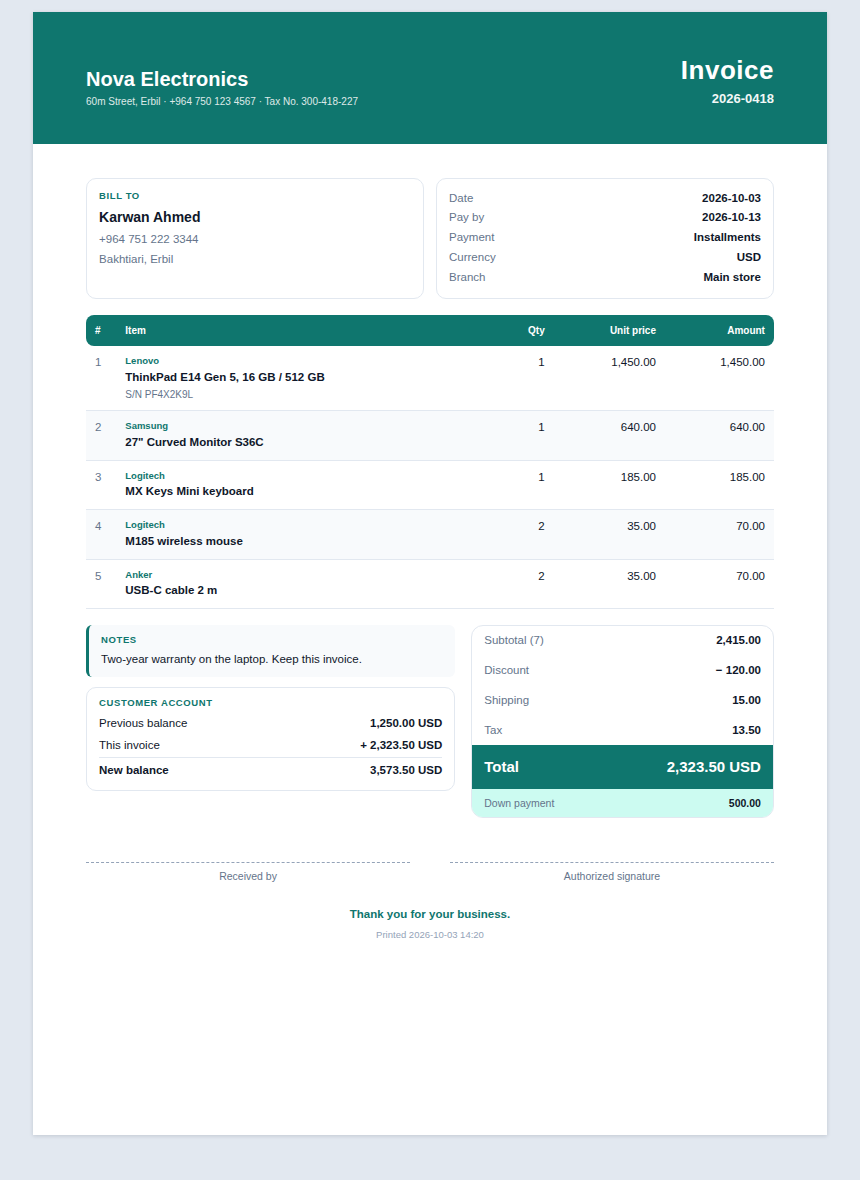
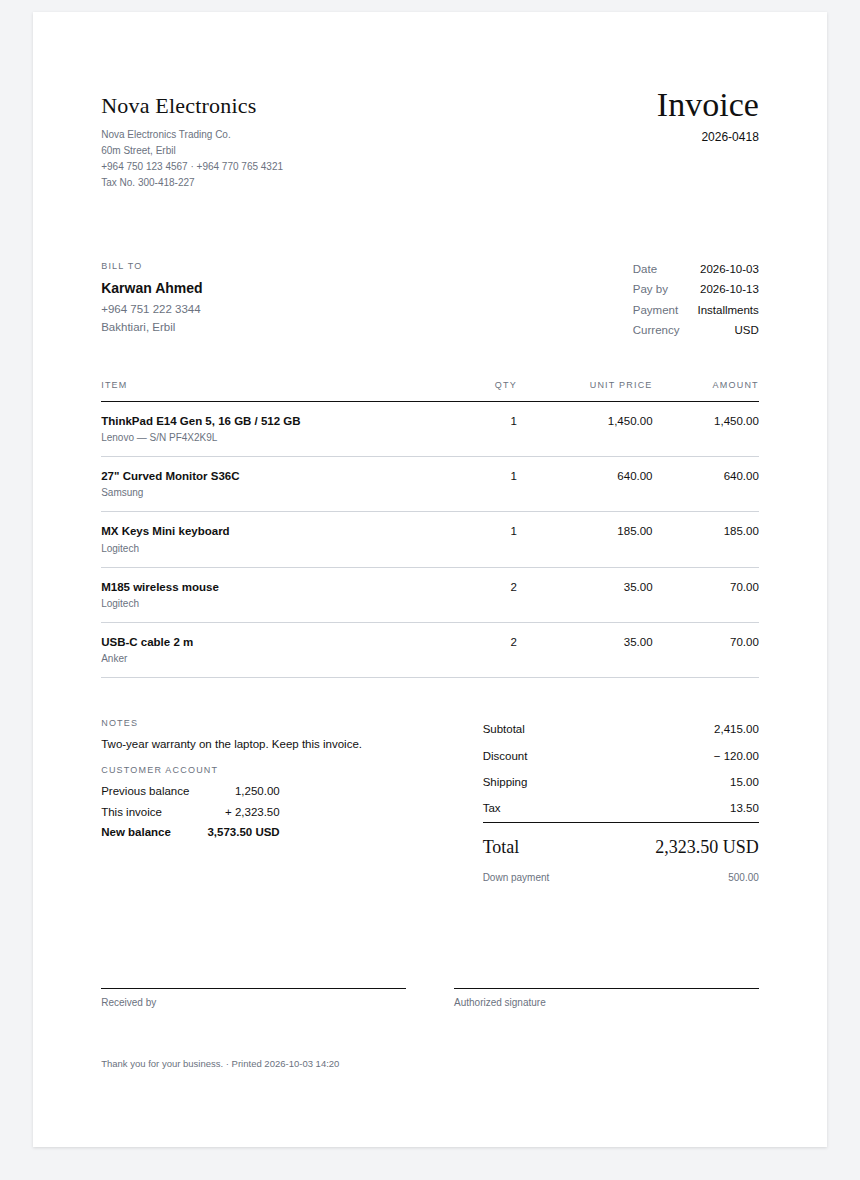
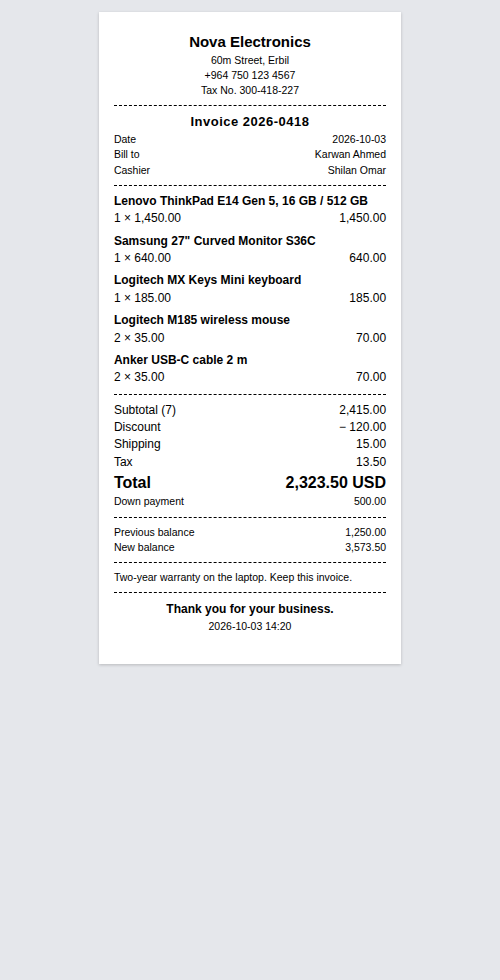
Every template prints your own logo, figures and dates the way your system writes them, and each one can be edited after you import it.
Sell invoices
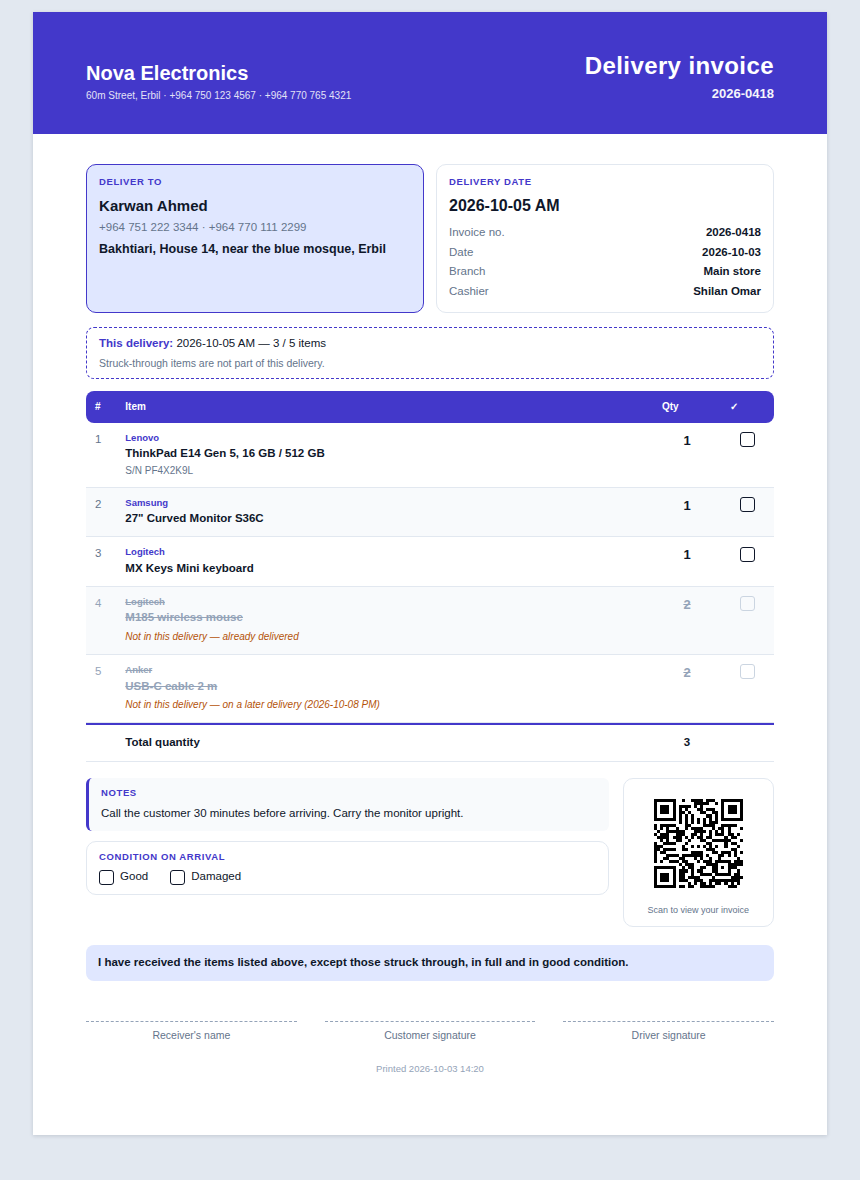
Delivery invoices
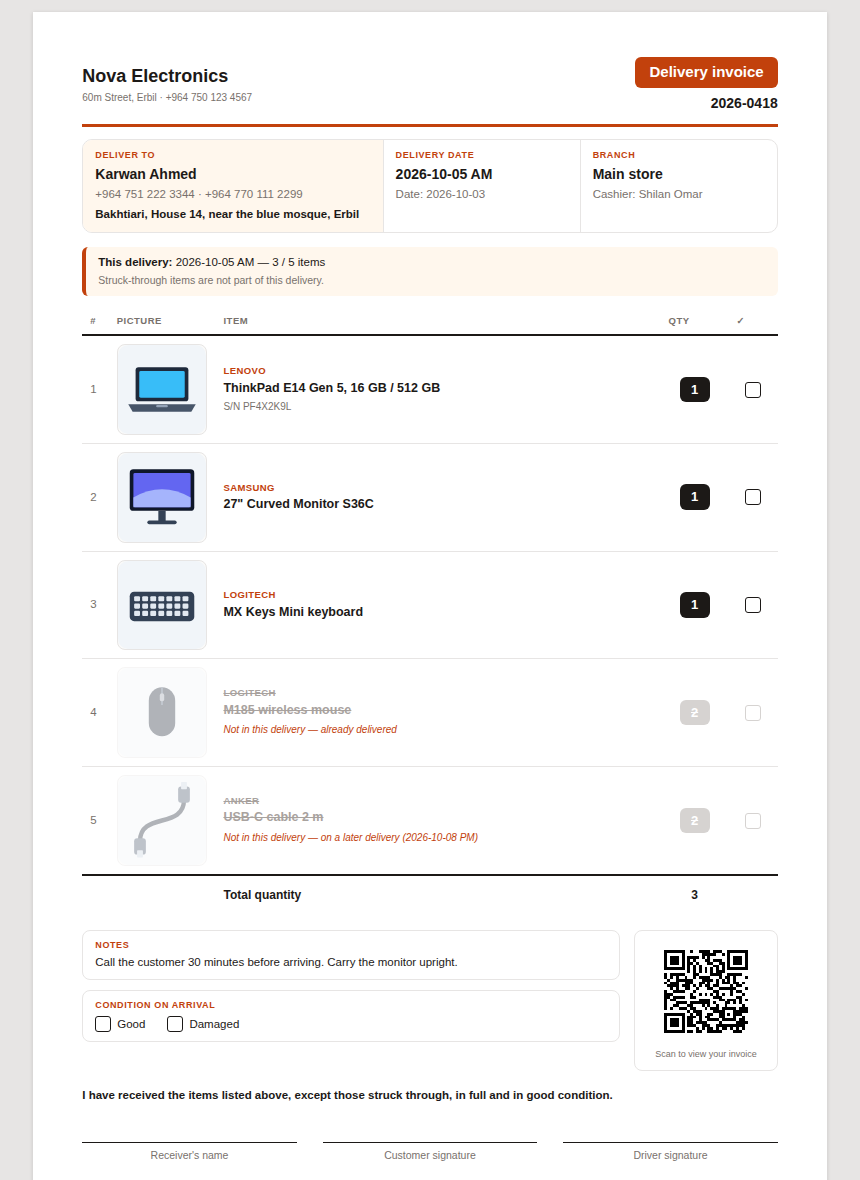
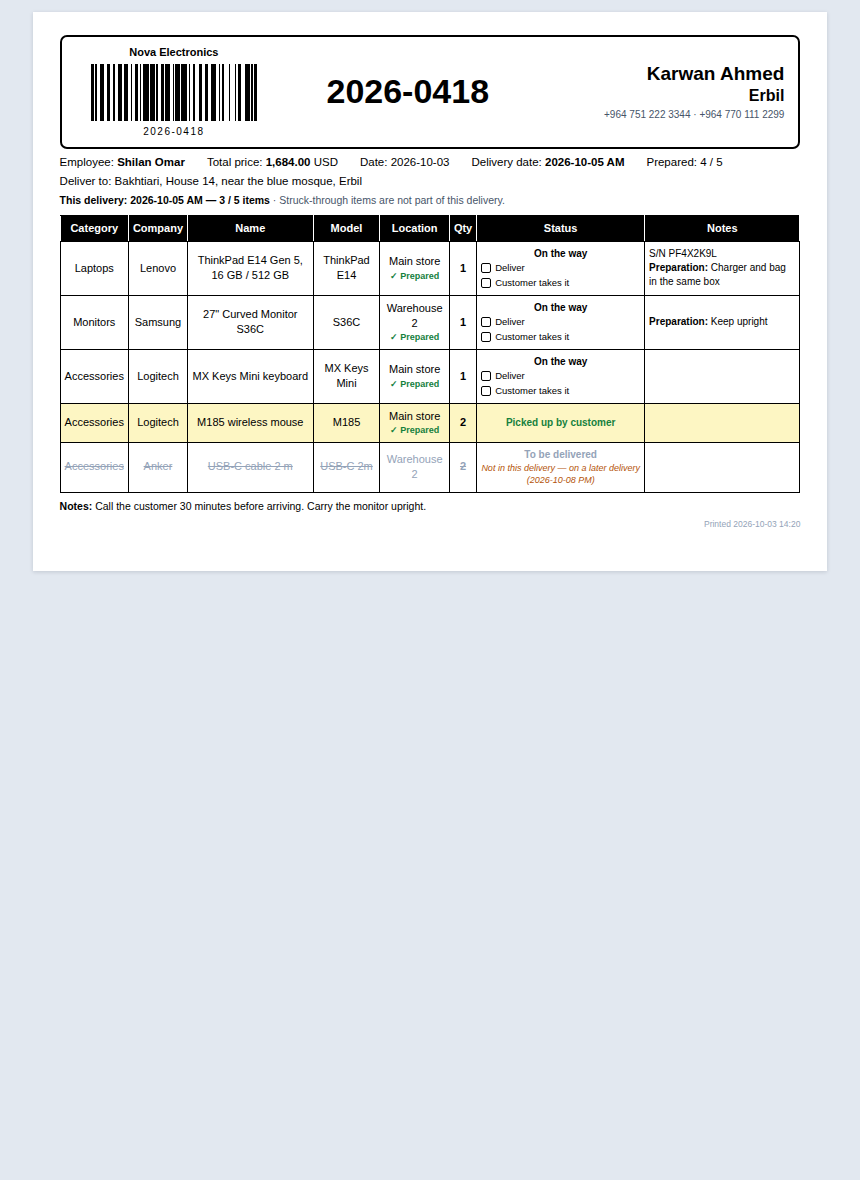
Delivery sticker (A5)
A5 landscape label for the parcel at the counter: logo and barcode, the invoice number in large type and the customer. Each line shows the branch its stock came from, the preparation note and its delivery status — items the customer took away are shaded, open ones have boxes for the cashier to tick.
Paper: A5
Price stands
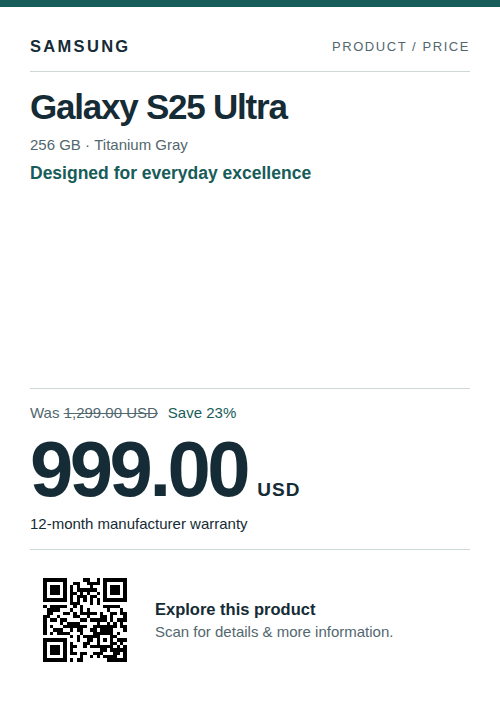
Signature price stand — without barcode
English price stand with refined teal accents, a prominent price, product photograph and generated QR code. The QR link defaults to the product’s e-commerce page and can be changed when adding a stand. Fits A3–A7 stands in portrait or landscape. Requires the app update for per-stand QR links and barcode generation.
Paper: A6
Languages
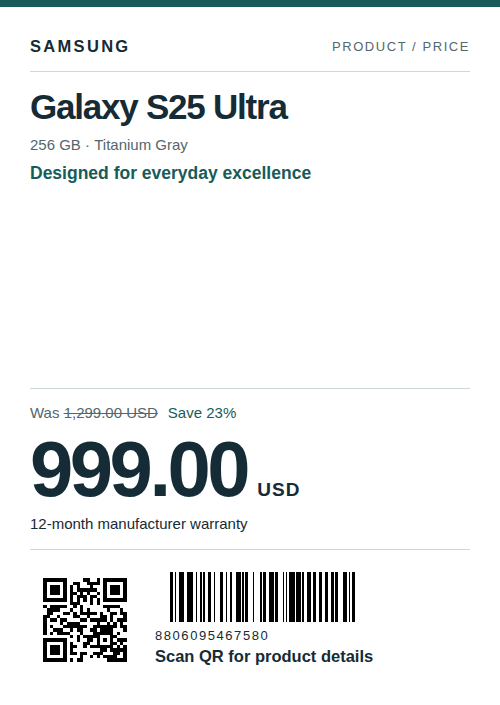
Signature price stand — with barcode
English price stand with refined teal accents, a prominent price, product photograph and generated QR code. The QR link defaults to the product’s e-commerce page and can be changed when adding a stand. Includes a generated Code 128 product barcode. Fits A3–A7 stands in portrait or landscape. Requires the app update for per-stand QR links and barcode generation.
Paper: A6
Languages
How to use a template
- 1
From inside jmeryar
Open Administration → Print Templates → Template library. Every template here is listed with its picture; press Import and it is ready to print.
- 2
From a downloaded file
Download the template here, then on the same Template library screen choose “Import a file” and pick it. Useful for an install with no internet connection.
- 3
Make it yours
An imported template is an ordinary print template: rename it, change its colours or words, and tick “default” to print every invoice with it.
Request a demo
Let us set up a demo for your team.
In under 30 minutes we will show you how jmeryar makes your day easier. Free, with no commitment.
- sale@jmeryar.com
- +964 771 179 0202
- Contact
- Mohammad Assad
- Location
- Sulaimaniyah · Kurdistan